Accounting software first. Automation second.

Your books, clearly in view.

FINUXI connects transactions, reconciliations, reports, and source documents in one accounting workspace. FINUXI AI helps explain the evidence; you stay in control of the books.

Tenant-isolatedDeterministic accountingEvidence preserved
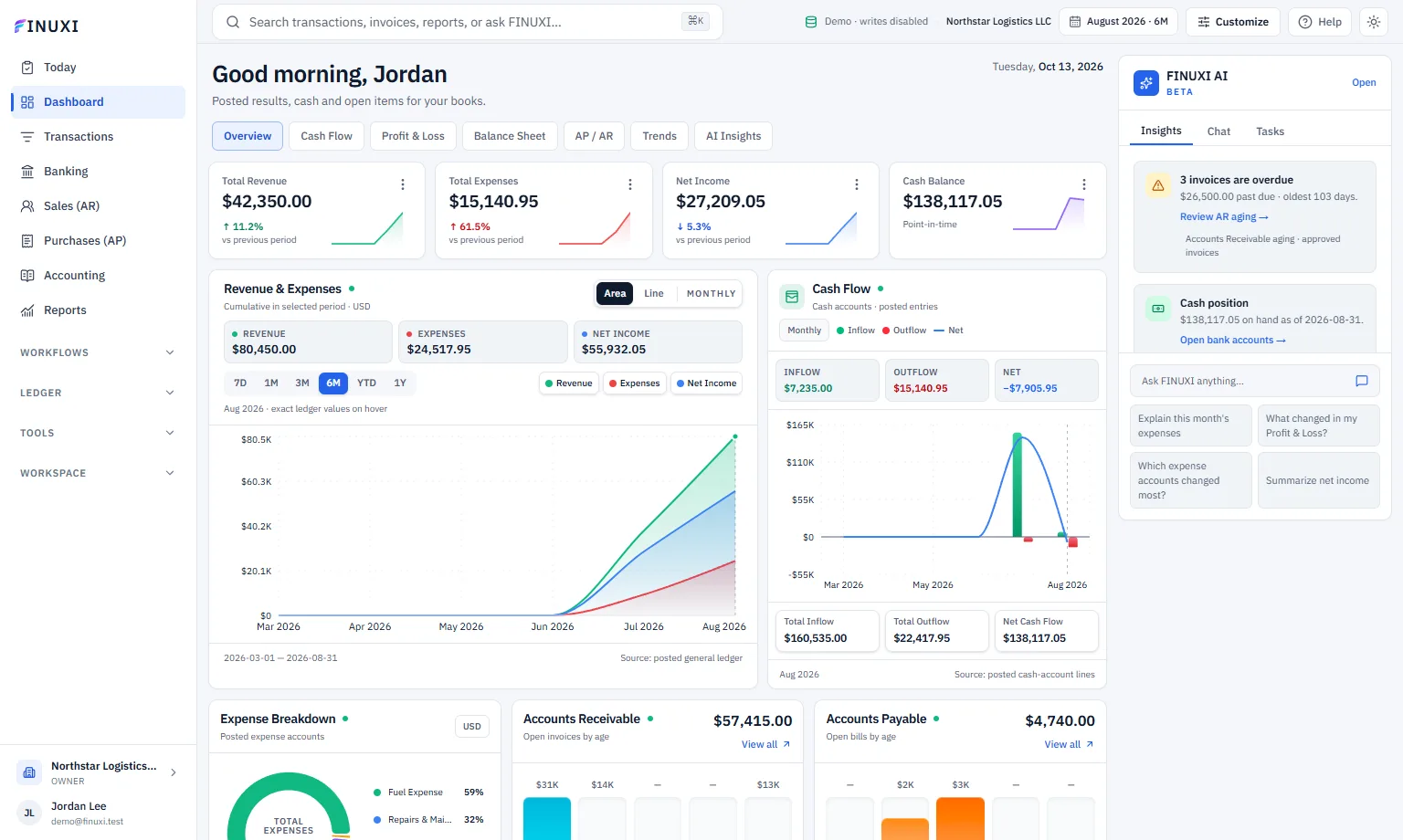
FINUXI workspaceRead-only demo · real product screen
FINUXI dashboard showing the navy navigation, real demo-ledger KPIs, revenue and cash flow charts, aging analysis, transactions, and FINUXI AI rail
Swipe to inspect the dashboard →

How FINUXI works

One guided path from source evidence to accountant-ready output.

Move through the six steps to see what FINUXI handles, what stays under human control, and what you should do next.

Every important result keeps its evidence.
Step 1 of 6

Start with the company

Create one secure accounting workspace.

Your organization, base currency, people, roles, and accounting records stay inside one tenant boundary.

What FINUXI does

  • Scopes every record to the organization
  • Applies role checks before important actions
  • Preserves an audit trail from the beginning

What you do

Create the organization and invite only the people who should access its books.

Create your workspace

Inside FINUXI · Workspace setup

Actual product · read-only demo data
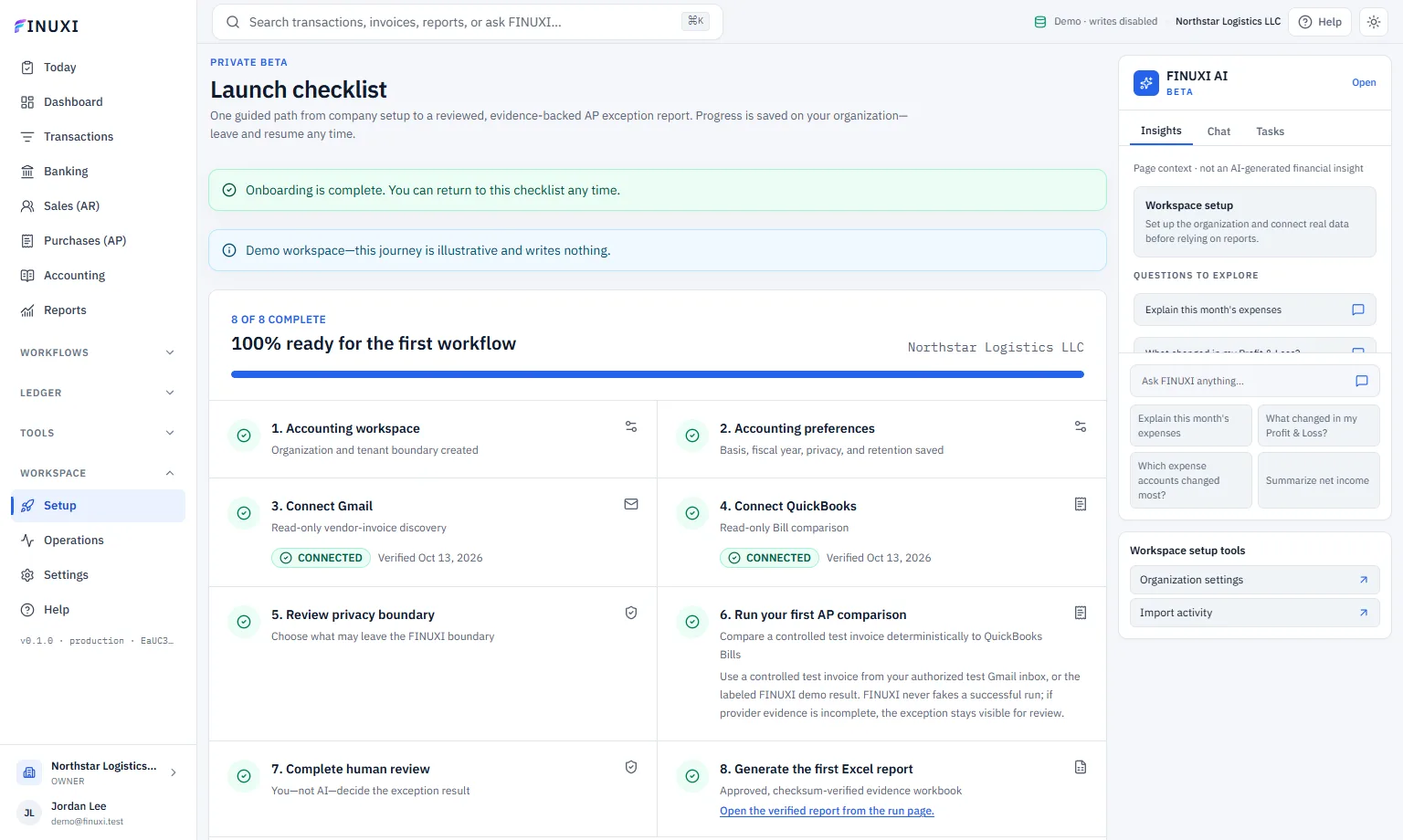
FINUXI setup checklist showing completed accounting workspace, organization, preferences, and demo readiness

Swipe to inspect this screen →

OrganizationNorthstar Logistics
Base currencyUSD
AccessOwner
BoundaryTenant isolated

Your first 15 minutes

Start small. Complete one clean accounting loop.

You do not need to configure everything on day one.

01

Create the organization

Choose the company name and base currency.

02

Add one real source

Import a bank file or upload period documents.

03

Clear the first exception

Use the evidence and record your decision.

04

Review and export

Confirm the books, save a workbook, and export.

Flagship AP workflow

From inbox to reviewed exception report.

Vendor invoices are compared with QuickBooks Bills using verified accounting evidence. The user remains the decision-maker.

01

Gmail

Invoice evidence

02

FINUXI

Verified extraction

03

QuickBooks

Read-only Bills

04

Review

Human decision

05

Excel

Approved report

One accounting workspace

The work stays connected to the proof.

FINUXI is designed around source records, approvals, immutable history, and financial statements derived from the posted ledger.

Daily accounting

Books that stay explainable

Import transactions, review documents, post balanced journals, and reconcile cash without losing the source evidence behind a number.

Exception operations

Find what needs a human

Deterministic matching identifies missing, duplicate, and ambiguous vendor bills. AI can explain the evidence; it cannot decide the result.

Workpapers

From FINUXI to Excel, cleanly

Edit accountant workbooks in the app, preserve immutable revisions, and export reviewed XLSX or CSV files with provenance intact.

Controlled by design

AI can explain. Accounting controls decide.

Tenant isolation, private storage, read-only provider access, deterministic matching, explicit approval, and complete audit evidence remain the foundation.

Open FINUXI